 by earnhouse
For people who do the work.
Your business.
Beautifully
together.
Your own business page. The jobs it brings. The paperwork. The payment. A clearer working day, with Tender.
Available for iPhone on the App Store.

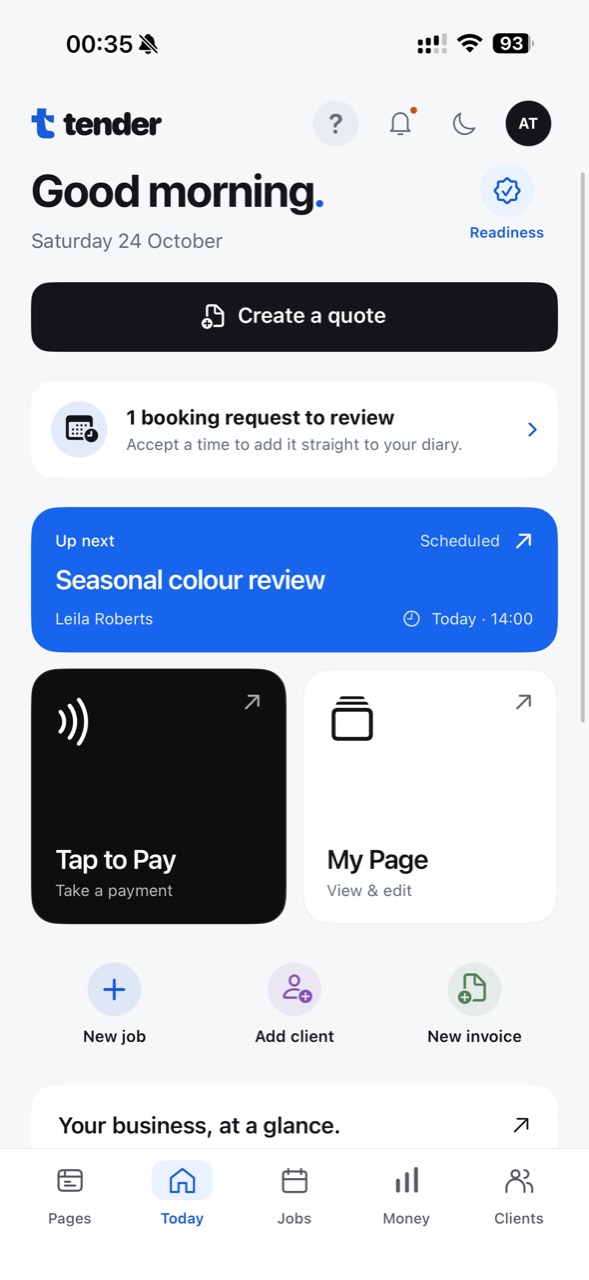
A lot less back-and-forth.
Your business.
Your look.
Your own page.
A place to show what you do—and help customers take the next step. Choose your look, add your services and share your business with one link.
- Make it yours with a choice of page designs.
- Show services, prices and booking options.
- Share your link or QR code from Tender.
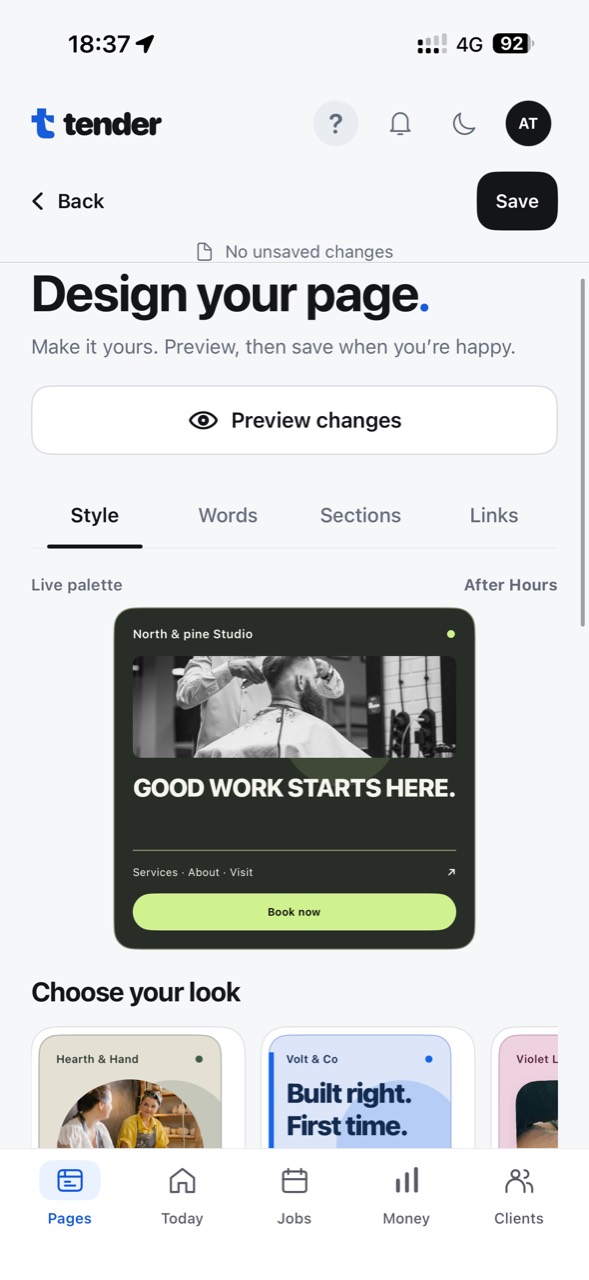
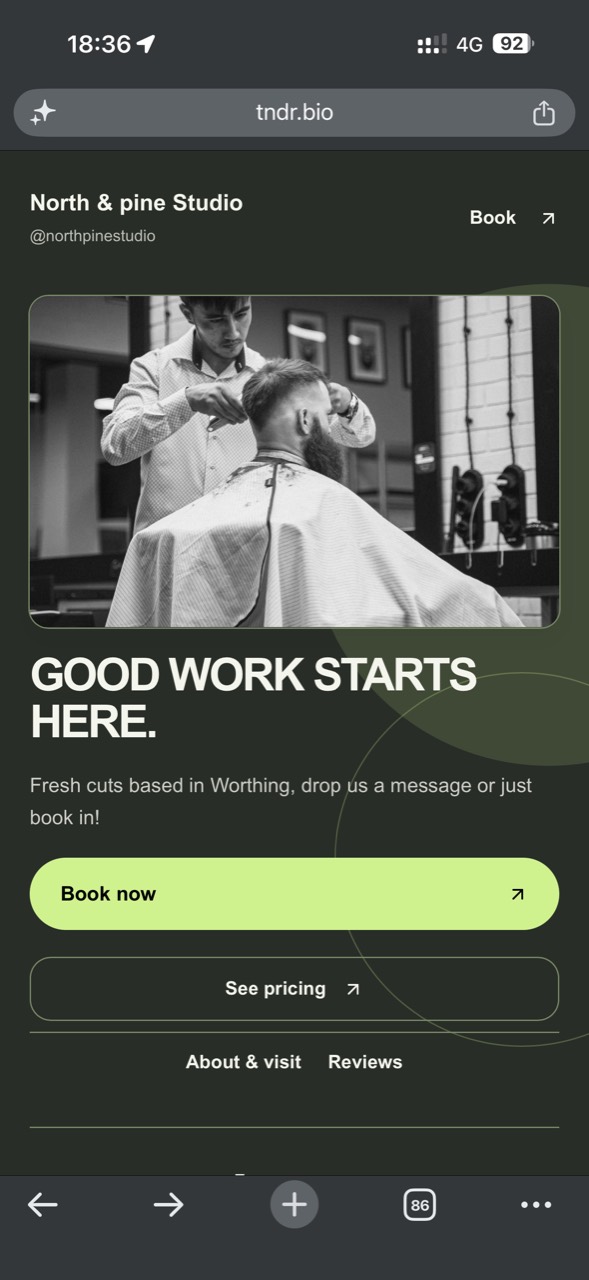
Made to look like you.
Illustrative businesses · example prices
Your services. Your style.
From lashes and beauty to hourly visits and quote-led work. Explore a few ways your page could look.
One link. Your business.
The matching example follows your selection. In Tender, share your own page link or bring up its QR code.
All booking times use UK time, including daylight saving.
Open days
Hours that work for you.
Set your booking days, hours and the time between appointments.
Full phone views are supplied screenshots. Rotating business examples use illustrative services and prices; the booking-hours panel is recreated from the supplied screen.
Less admin. More headspace.
Good at what you do.
Supported in everything around it.
Whether you’re behind the chair, in the studio or out on a job, the business side should feel easier to keep up with.
From “can you?”
to all done.
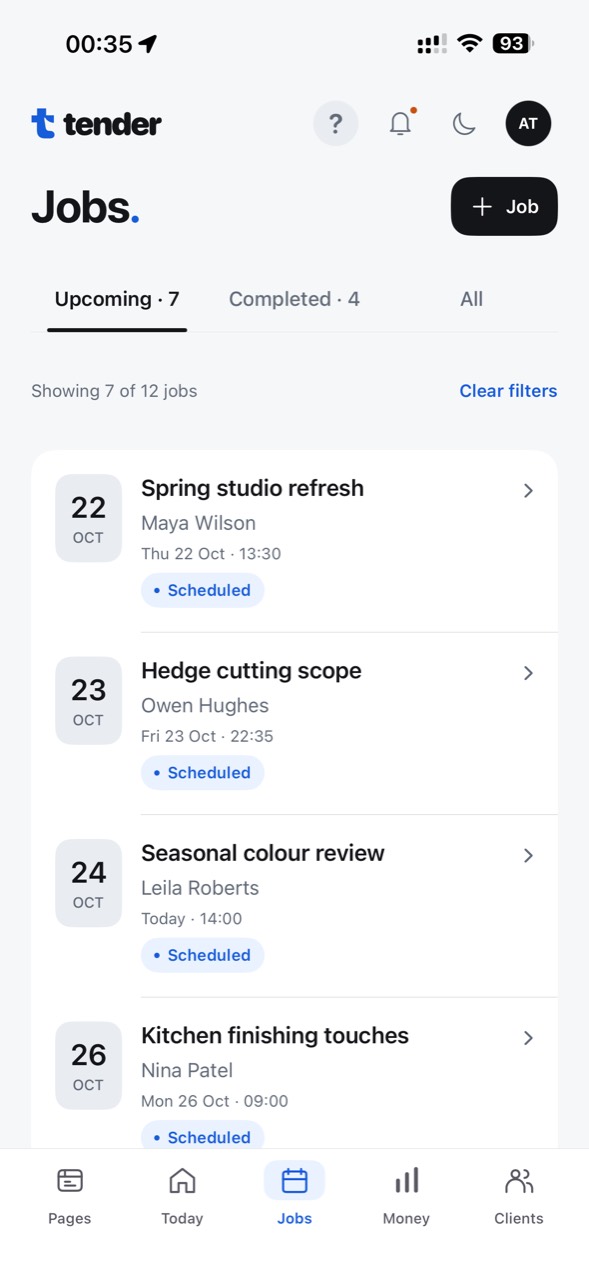
Keep the customer, the agreed work and the paperwork close. So the next step is easier to find, and the important details stay with the job.
- See the work you have coming up.
- Keep job and client details together.
- Move from the agreed scope to the paperwork.
13:30 UK time
Work finished.
Next, getting paid.
A payment journey that belongs with the rest of the job. From the agreed amount to the record you keep afterwards.
Take contactless payments with Tap to Pay on iPhone after completing payment setup. Customers can tap an eligible card or contactless device against your compatible iPhone.
Explore taking payments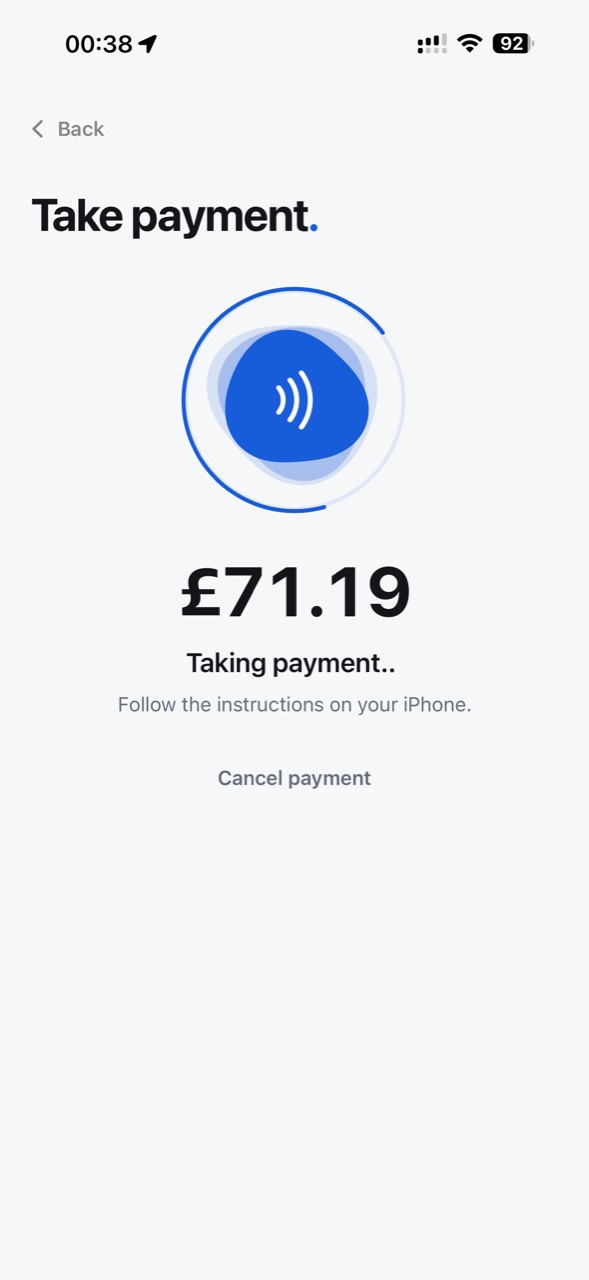
Sandbox app flow · No money charged
Simulated sandbox payment
· no money charged
Make sense
of the money.
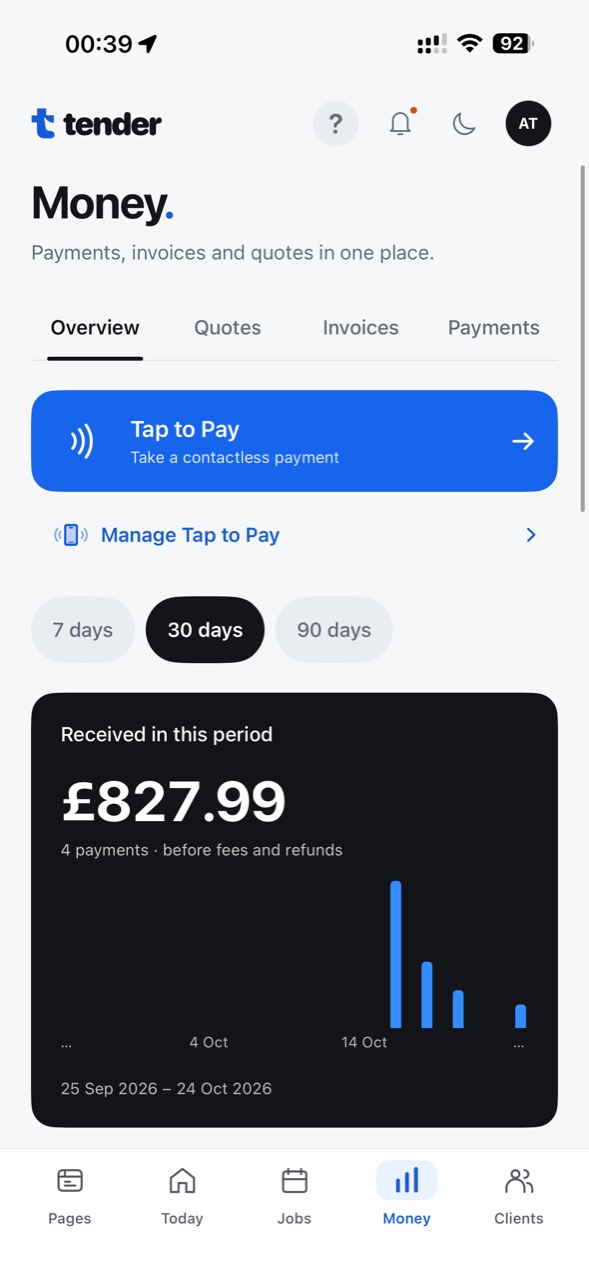
Bring invoices and payment records into view. Find the detail behind the numbers, and keep the paperwork ready for your bookkeeping handover.
- Start with your Money overview.
- Look into individual invoices and payments.
- Sync relevant invoices and payments to connected Xero or QuickBooks accounts.
“Tax” means the connected accounting workflow—not automatic tax calculation, tax returns or HMRC submission.
 Illustrative photography
Your skill. Your business.
Made for the way
you make a living.
Beauty, creative services, trades and the many businesses in between. Tender brings the business side of hands-on work into one place.
Meet earnhouseA straightforward start
Try the whole thing.
Then make it yours.
The complete Tender product through your first five successful customer payments.
5 successful customer payments
with no subscription fee
Processing fees apply from the start. No permanently free edition. Tender never starts your subscription automatically.
See the offer detailsA few useful answers
A little more detail.
Is Tender available now?
Yes. Tender is available for iPhone from the App Store.
Can customers tap a card or phone to pay?
Yes. After payment setup, eligible businesses can use Tap to Pay on iPhone so customers can tap an eligible contactless card or device against a compatible iPhone.
What syncs to Xero or QuickBooks?
Relevant Tender invoices and payments sync to the connected Xero or QuickBooks account. Tender does not calculate tax, file returns or submit anything to HMRC.
What happens after the first five payments?
You explicitly choose the £7.99/month Tender subscription to continue using subscription-required actions. Reaching five successful customer payments never starts the subscription automatically. Processing fees remain separate.
Does Tender do my taxes?
No. Tender does not calculate your tax, file tax returns or submit to HMRC. The accounting story is about preparing and handing over records.
Are these screenshots of the app?
Full phone views are supplied app screenshots. Most detail panels are crisp recreations using the supplied example information. The rotating services and sharing panels also show fictional businesses and illustrative prices, so you can explore different looks and ways of working. Their pictured app actions are illustrations; only the example selectors and carousel controls are interactive. The payment journey shown is a simulated sandbox test, so no money was charged in the pictured example.

More time for
the work you love.
Jobs, clients, paperwork and money. Together.